

Key Takeaways
More performance for the price
Desktop chips and cooling systems aren't constrained by battery or size limits, so a given dollar amount buys more raw computing power than in a laptop of the same price.
Easier to upgrade and repair
RAM, storage, and graphics cards in most desktops are designed to be replaced, letting you extend the machine's useful life without buying a whole new system.
Larger displays and better ergonomics
Desktops pair naturally with full-sized monitors, external keyboards, and adjustable chairs - a setup that's easier to adapt for long work sessions.
Better sustained performance under load
Larger cooling systems let desktop processors run at full speed for extended periods without throttling, which matters for demanding tasks like video editing or data processing.
Longer lifespan through component replacement
Individual parts - power supplies, fans, drives - can be swapped when they fail, so the whole machine doesn't need replacing when one component wears out.
Tied to a single physical location
A desktop requires a monitor, keyboard, and power outlet wherever you use it. Moving the setup even within a home is a notable effort, let alone traveling with it.
No built-in battery backup
A power outage or accidental cord pull can cut off a desktop instantly, risking unsaved work. Laptops transition to battery automatically.
Requires separate peripherals
Keyboards, mice, and monitors are additional purchases and setup steps - costs that a laptop bundles into one device from the start.
Takes up more physical space
Even compact desktop towers need a dedicated surface, and a full setup with monitor and peripherals can dominate a small room or apartment workspace.
Our Verdict
Neither desktops nor laptops are universally better - they solve different problems. Desktops reward users who want raw capability, longevity, and repairability at a given price. Laptops reward users who need flexibility and can accept certain hardware limits in exchange for mobility.
Choose a desktop if you work from a fixed location and prioritize performance or upgradability; choose a laptop if you regularly move between locations or need an all-in-one device.
What You're Actually Comparing
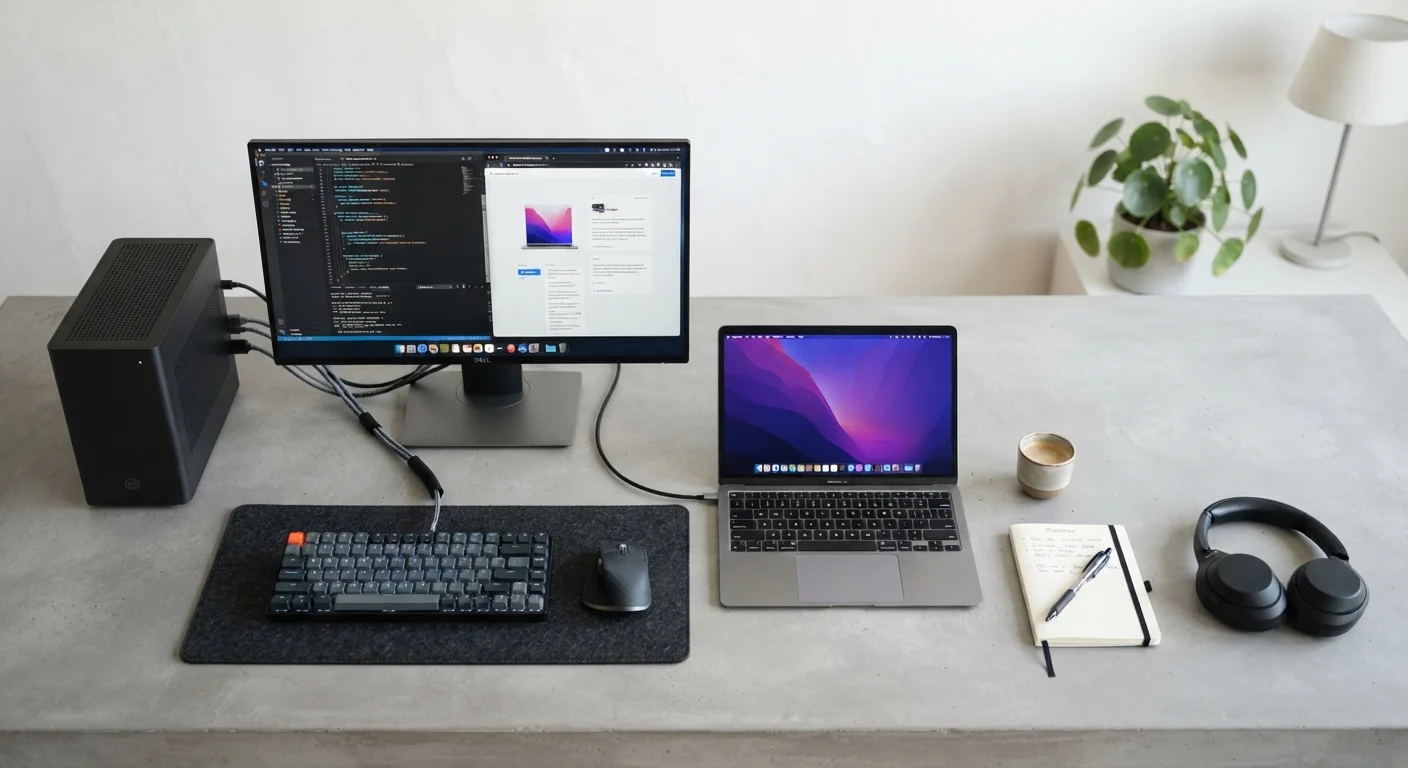
When people weigh desktops against laptops, they're really comparing two different sets of priorities that engineers baked into each design. A desktop is built for a fixed spot - power comes from the wall, heat can be managed with bigger fans, and there's plenty of room for large components. A laptop is engineered around the opposite constraints: battery power, compact cooling, and a chassis thin enough to carry in a bag.
Those engineering decisions ripple into almost every aspect of daily use - from how fast the machine runs, to how long it lasts, to what happens when something breaks. Understanding the underlying logic makes it much easier to decide which form factor actually fits your life. If you want to dig deeper into what's happening inside either machine, our guide to RAM, storage, and processing power explains what those numbers on the spec sheet really mean.
Pros of a Desktop
Desktops hold several structural advantages that stem directly from their design freedom.
More performance for the price
Desktop chips and cooling systems aren't constrained by battery or size limits, so a given dollar amount buys more raw computing power than in a laptop of the same price.
Easier to upgrade and repair
RAM, storage, and graphics cards in most desktops are designed to be replaced, letting you extend the machine's useful life without buying a whole new system.
Larger displays and better ergonomics
Desktops pair naturally with full-sized monitors, external keyboards, and adjustable chairs - a setup that's easier to adapt for long work sessions.
Better sustained performance under load
Larger cooling systems let desktop processors run at full speed for extended periods without throttling, which matters for demanding tasks like video editing or data processing.
Longer lifespan through component replacement
Individual parts - power supplies, fans, drives - can be swapped when they fail, so the whole machine doesn't need replacing when one component wears out.
One often-overlooked benefit is longevity. Because individual parts can be swapped out - a failing hard drive, an aging graphics card, insufficient RAM - a desktop can remain useful for many years with modest investment. That's harder to replicate in a laptop where components are frequently soldered to the motherboard. For more on what determines a computer's working life, see The Lifespan of a Personal Computer.
Cons of a Desktop
The same qualities that make desktops powerful create real limitations for many users.
Tied to a single physical location
A desktop requires a monitor, keyboard, and power outlet wherever you use it. Moving the setup even within a home is a notable effort, let alone traveling with it.
No built-in battery backup
A power outage or accidental cord pull can cut off a desktop instantly, risking unsaved work. Laptops transition to battery automatically.
Requires separate peripherals
Keyboards, mice, and monitors are additional purchases and setup steps - costs that a laptop bundles into one device from the start.
Takes up more physical space
Even compact desktop towers need a dedicated surface, and a full setup with monitor and peripherals can dominate a small room or apartment workspace.
These aren't dealbreakers for everyone - someone with a permanent home office rarely misses portability. But for users whose computing needs follow them around, the constraints add up quickly.
Performance, Cooling, and Why They're Connected
Desktop processors and graphics cards can draw significantly more electrical power than their laptop equivalents. More power generally means more performance - but it also generates more heat. Desktops handle that heat with large heatsinks and multiple fans, which keeps components running at full speed for extended periods.
Laptops face a different equation. To fit inside a thin chassis and run on battery, their chips are designed to consume far less power. That improves portability but limits peak performance. Sustained workloads - video rendering, large spreadsheets, extended gaming - can cause a laptop to throttle its own processor speed to avoid overheating. This is worth knowing if your work is computationally intensive. If your machine already runs sluggishly, here's what's actually happening inside a slowing computer.
~30-40%
Typical laptop-to-desktop performance gap under sustained load
Independent hardware benchmarks consistently show laptop chips throttle more under prolonged workloads compared to desktop equivalents at similar price points.
2-10 hrs
Typical laptop battery range depending on workload
Light web browsing can approach the top of this range, while video rendering or gaming can drain a laptop battery in under two hours.
Storage, Upgradability, and Long-Term Value
Both desktops and laptops can ship with solid-state drives (SSDs) or traditional hard drives, but desktops make it far easier to add or swap storage after purchase. Most desktop cases have multiple drive bays, and adding a second drive is usually a straightforward task. On many modern laptops, storage is soldered in place and cannot be upgraded at all.
The type of storage also affects everyday speed - an SSD is dramatically faster than a traditional spinning hard drive regardless of form factor. Our SSD vs. HDD breakdown covers what that difference actually feels like day-to-day. Repairability follows a similar pattern: desktop components are standardized and widely available, while laptop parts are often proprietary or difficult to source.
A Note on 'Upgradable' Laptops
Some laptop lines are designed with user-accessible RAM slots or replaceable SSDs - a spec worth checking before purchase if upgradability matters to you. However, the majority of thin-and-light laptops sold today have at least some components permanently soldered to the board. Check the manufacturer's documentation or independent teardown reviews before assuming any laptop can be upgraded.
Making the Call
The right choice depends on honest answers to a few practical questions. Do you work from one location, or do you need your computer with you regularly? Is raw performance critical to your work, or is basic computing - browsing, documents, video calls - the main use case? How important is a low purchase price versus long-term repairability?
Many households end up with both: a desktop as the primary workhorse and an older or budget laptop for travel. If you're thinking about what software environment suits you best once you've settled on hardware, our overview of operating systems is a useful next step. Neither form factor is objectively better - the better one is the one that matches how you actually work and live.