

Key Takeaways
Our Verdict
No single broadband technology is best for everyone - what matters most is what's actually available at your address. Fiber leads on raw performance, cable is the reliable middle ground for most suburban households, DSL remains a lifeline in underserved areas, and fixed wireless fills critical gaps where wired infrastructure doesn't exist.
| Best for | Recommended |
|---|---|
| Speed-focused households with fiber availability | Fiber |
| Suburban users who want broad availability and decent speeds | Cable |
| Rural residents with limited wired infrastructure | Fixed Wireless |
| Users needing a low-cost baseline connection in legacy service areas | DSL |
How Broadband Gets to Your Home
When you sign up for home internet, you're not just choosing a price plan - you're choosing a physical technology that determines how data travels between your home and the broader internet. Four major technologies dominate the US market: cable, fiber optic, DSL, and fixed wireless. Each uses different infrastructure, which directly affects speed, latency, and reliability.
Understanding the differences helps you evaluate what's actually available at your address, make sense of your current service, and troubleshoot problems more effectively. For a deeper look at what the speed numbers on your plan actually mean, see what Mbps, latency, and data caps mean.
Cable: The Coaxial Standard
Cable internet travels over the same coaxial copper lines originally built to carry cable TV signals. A cable modem at your home converts those signals into a format your router can use. Most cable providers use a standard called DOCSIS (Data Over Cable Service Interface Specification), with newer versions like DOCSIS 3.1 supporting gigabit-class speeds.
Cable is widely available across suburban and urban America and typically offers download speeds ranging from 100 Mbps to 1 Gbps. The significant tradeoff is network congestion: because neighbors in a given area share the same segment of cable infrastructure, speeds can dip noticeably during peak evening hours. Upload speeds also tend to lag far behind downloads - a limitation of the technology's original TV-broadcast design.
| Cable | Fiber | DSL | Fixed Wireless | |
|---|---|---|---|---|
| Typical Download Speed | 100 Mbps - 1 Gbps | 300 Mbps - 2+ Gbps | 1 - 100 Mbps | 25 - 300+ Mbps |
| Upload Speed | Much lower than download | Equal to download | Much lower than download | Varies, often asymmetric |
| Latency | Moderate | Low | Moderate to high | Moderate, can vary |
| Infrastructure | Coaxial copper cable | Fiber optic cable | Copper phone line | Radio/wireless tower |
| US Availability | Broad suburban/urban | Growing, still limited | Wide, especially rural | Expanding in rural areas |
| Congestion Risk | Higher at peak times | Very low | Low to moderate | Moderate |
| Weather Sensitivity | Low | Very low | Low | Moderate to high |
Fiber: Light-Speed Performance
Fiber optic internet transmits data as pulses of light through thin glass or plastic strands. Because light signals don't degrade over distance the way electrical signals do, fiber delivers symmetrical speeds - meaning upload and download rates are roughly equal - with very low latency and minimal congestion.
Fiber consistently outperforms other technologies in raw speed and reliability. Residential fiber plans commonly offer speeds from 300 Mbps up to several gigabits per second. The catch: fiber requires entirely new physical infrastructure, so it's still unavailable in many rural and even some suburban areas. Expansion is ongoing across the US, but coverage gaps remain significant.
Check Your Address Before Assuming
Broadband availability varies block by block. Even if a neighbor has fiber, your address may not qualify yet. Use the FCC's Broadband Map at broadbandmap.fcc.gov to see which technologies are reported available at your specific location. This is also useful when you're deciding whether to escalate a complaint about underperforming service.
DSL: Phone Lines Repurposed
DSL (Digital Subscriber Line) sends data over traditional copper telephone lines, using frequencies that don't interfere with voice calls. It's slower than cable or fiber - typical speeds range from 1 Mbps to around 100 Mbps depending on the variant (ADSL, VDSL) and your distance from the provider's equipment. The farther you are from a telephone exchange, the weaker the signal and the slower the connection.
Despite its limitations, DSL is often the only wired broadband option in many rural and small-town communities where cable infrastructure was never built. It's not ideal for streaming 4K video or large household demands, but it provides a functional baseline for everyday tasks like email, web browsing, and video calls at lower resolutions.
Fixed Wireless: Internet Without Cables
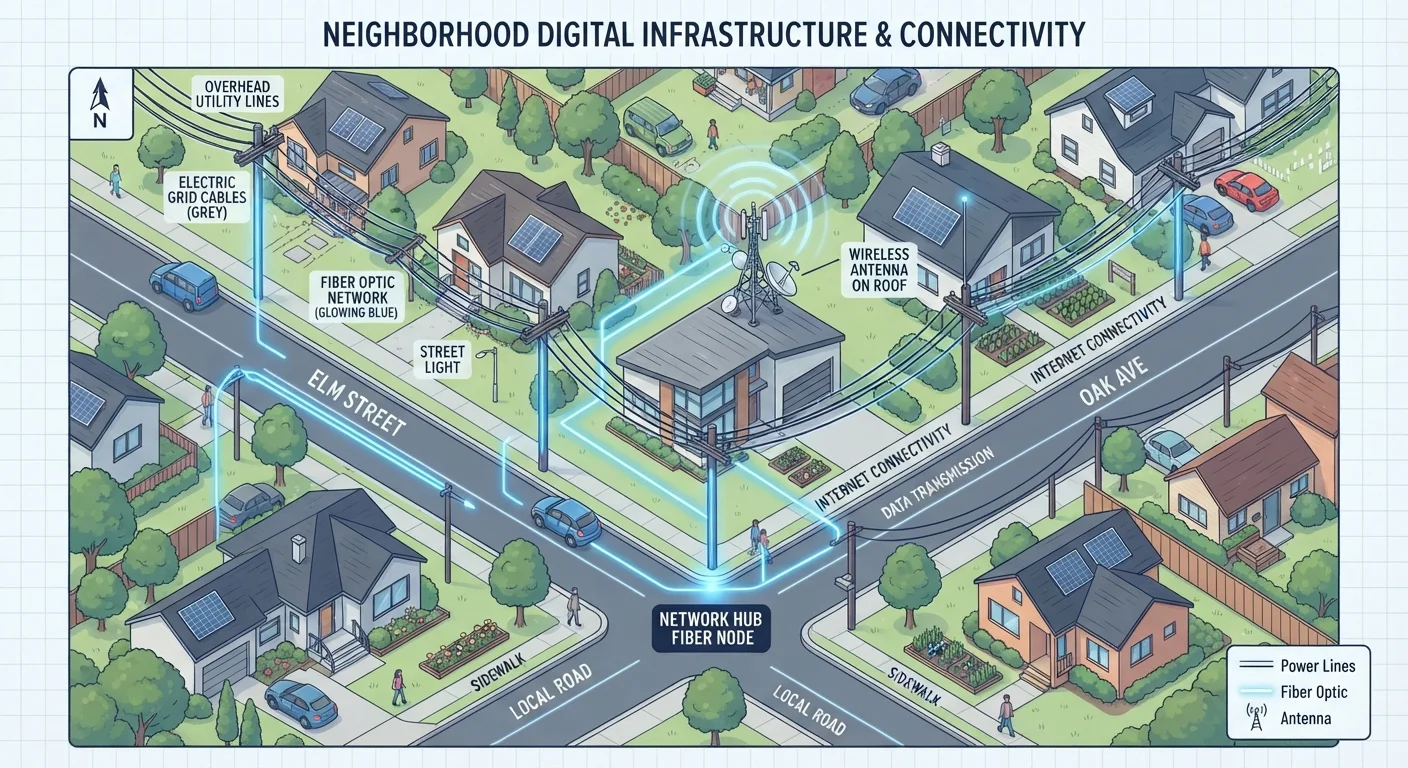
Fixed wireless access (FWA) delivers internet to your home via radio waves from a nearby transmission tower - similar to a cell tower but dedicated to broadband. A receiver antenna installed on or near your home picks up the signal and feeds it to a router indoors. No underground cables are required, making it faster and cheaper to deploy in areas where laying physical lines would be prohibitively expensive.
Speeds vary widely by provider and location, typically ranging from 25 Mbps to several hundred Mbps. The main vulnerabilities are line-of-sight obstructions (hills, dense trees, buildings) and weather interference. Some newer fixed wireless deployments use millimeter-wave or mid-band spectrum to push performance closer to cable-tier speeds. For homes in rural or underserved areas, fixed wireless is frequently a practical and significantly better alternative to slow DSL.
Once you know which broadband type connects to your home, the next step is understanding how those signals are distributed inside. See how modems and routers work together and how Wi-Fi bands affect your wireless speeds to get more from whatever connection you have.