

Key Takeaways
Option A
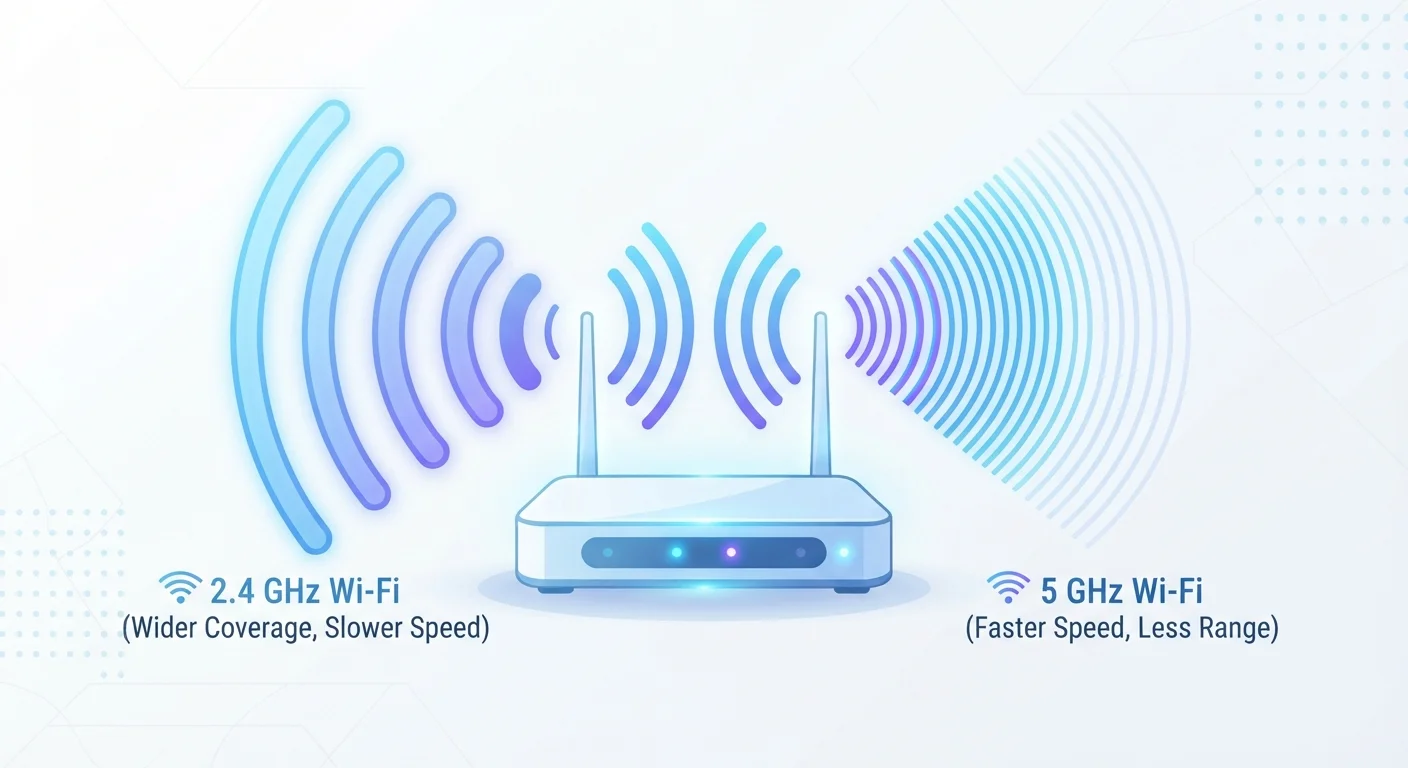
2.4 GHz
The long-range, widely compatible workhorse.
Best for: Devices that are far from the router or need to pass signals through multiple walls and floors.
Option B
5 GHz
The fast, low-interference band for close-range performance.
Best for: Devices near the router that demand high throughput, such as streaming 4K video or online gaming.
If your device is in a distant room or basement
2.4 GHz
Its longer wavelength allows the signal to travel farther and punch through more walls, keeping distant devices connected.
If you stream 4K video or play online games close to the router
5 GHz
Higher throughput and less channel congestion means smoother, faster performance for bandwidth-intensive tasks nearby.
If you live in a densely populated apartment building
5 GHz
The 5 GHz spectrum has more available channels, so you're less likely to overlap with neighboring networks.
If you're connecting smart home sensors and IoT devices
2.4 GHz
Most smart home devices only support 2.4 GHz, and these low-data gadgets don't need the extra speed 5 GHz provides.
What Wi-Fi Bands Actually Are
When your router broadcasts a Wi-Fi signal, it does so on a specific radio frequency band - essentially a slice of the radio spectrum reserved for wireless communication. The two most common bands in home networking are 2.4 GHz and 5 GHz. The number refers to the frequency in gigahertz at which data is transmitted wirelessly between your router and your devices.
Think of it like lanes on a highway. Each band is a different lane with different speed limits, widths, and traffic conditions. Understanding what each lane offers helps you route your devices more intelligently. For a broader look at how your router manages all of this behind the scenes, see how your router actually works.
| Criterion | 2.4 GHz | 5 GHz |
|---|---|---|
| Typical range | Longer - covers more distance | Shorter - fades faster |
| Wall/obstacle penetration | Strong | Weaker |
| Maximum data speed | Lower | Higher |
| Interference susceptibility | Higher - crowded spectrum | Lower - less congestion |
| Available channels | Fewer non-overlapping channels | Many non-overlapping channels |
| Best use case | Far-away or low-data devices | Nearby, high-bandwidth tasks |
| Device compatibility | Near-universal | Supported by most modern devices |
Range and Penetration: Where 2.4 GHz Wins
The 2.4 GHz band uses a longer wavelength, which gives it a natural advantage in range and wall penetration. A signal at this frequency can pass more easily through drywall, floors, and furniture, making it the reliable fallback for devices spread throughout a home.
The trade-off is speed and congestion. Because 2.4 GHz has been around longer and is also used by microwaves, baby monitors, cordless phones, and Bluetooth devices, it tends to be a crowded slice of spectrum - especially in apartment buildings where dozens of neighboring networks may all be broadcasting on the same channels.
3x
More non-overlapping channels in 5 GHz vs. 2.4 GHz
The 2.4 GHz band has just 3 non-overlapping channels in the US, while 5 GHz offers up to 25, dramatically reducing crowding.
~150 ft
Typical indoor range drop-off for 5 GHz
Under typical home conditions with walls and furniture, 5 GHz signals often weaken noticeably beyond 50 feet indoors.
If you're noticing sluggishness or dropped connections in areas close to your router, interference rather than distance may be the real culprit. Diagnosing Wi-Fi dead zones at home can help you separate signal-loss issues from interference problems.
Speed and Capacity: Where 5 GHz Shines
The 5 GHz band operates at a higher frequency, which translates to faster data transfer rates and significantly less interference from other household electronics. It also has more non-overlapping channels available, so even in busy network environments, it's easier to find a clear path for your data.
The limitation is physics: higher frequencies don't travel as far and are more easily blocked by solid objects. Place a device just two or three rooms away with a concrete wall in between, and you may find 5 GHz performs no better - or even worse - than 2.4 GHz.
For tasks like streaming high-definition video, video conferencing, or competitive gaming, connecting to 5 GHz from a room close to the router is almost always the smarter move. Wi-Fi is just one piece of the connectivity puzzle; a wired Ethernet connection may outperform both bands for the most demanding use cases.
Choosing the Right Band for Each Device
Most modern routers are dual-band, broadcasting both 2.4 GHz and 5 GHz simultaneously. Some higher-end models are tri-band, adding a second 5 GHz radio to handle even more devices at once. Your goal is to match each device's needs to the band that serves it best.
- 2.4 GHz candidates: Smart bulbs, thermostats, security cameras, e-readers, and any device located far from the router.
- 5 GHz candidates: Laptops, phones, tablets, and streaming devices used in the same room or adjacent to the router.
Many routers offer a feature called band steering, which automatically moves devices to the optimal band. Results vary by router and device, so manually assigning critical devices to the right band often yields more consistent performance.
For a fuller picture of how wireless protocols fit alongside other connection types, understanding how devices talk to each other is a useful next step.
What About Wi-Fi 6 and 6 GHz?
Newer Wi-Fi standards like Wi-Fi 6E and Wi-Fi 7 introduce a third band at 6 GHz, which offers even faster speeds and less congestion than 5 GHz. However, both your router and your device must support the same standard to benefit. For most households with standard routers, the 2.4 GHz vs. 5 GHz choice remains the most relevant decision to get right.