

Technology

The App Permissions on Your Phone That Deserve a Second Look

Share
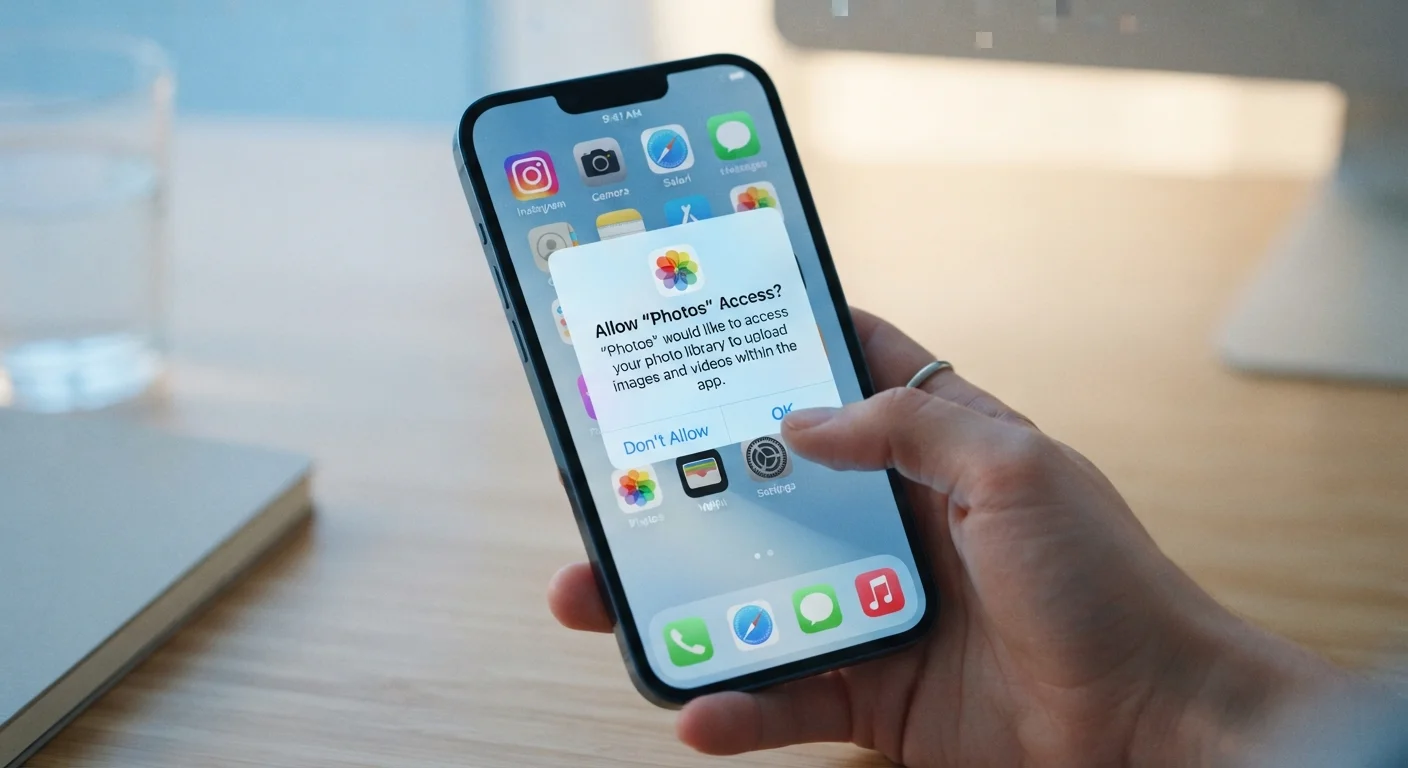
Smartphone screen showing an app permission request dialog with allow and deny options

Key Takeaways

Apps often request permissions that have no clear connection to their stated purpose.
Both iOS and Android let you review and revoke individual app permissions at any time.
Location, microphone, and contacts access are the three most commonly over-granted permissions.
Revoking a permission rarely breaks an app's core functionality — it may just limit one feature.
Auditing permissions periodically is one of the simplest ways to protect your personal data.
15–30 min

Summary

18 items · 15–30 minutes

Why App Permissions Deserve More Than a Quick Tap

When you install a new app, a string of permission prompts appears and most people tap through them without reading. That reflex is understandable — the prompts feel like speed bumps — but it can hand over access to your microphone, location history, or entire contact list to apps that have no genuine need for any of it.

Permissions are the system's way of enforcing boundaries between an app and the rest of your phone. When you grant one, you're opening a door. Some doors make sense: a navigation app needs your location, a camera filter app needs your camera. Others are harder to justify — why does a flashlight app need your contacts?

The good news is that both iOS and Android give you the tools to review and reclaim control. Just as browser extensions can quietly acquire more access than they need, apps follow the same pattern — and the fix is similarly straightforward once you know where to look.

Use the checklist below to run a structured audit. Work through it one category at a time rather than all at once — it stays manageable and you'll catch more.

Location Access

Check which apps have 'Always On' location access and confirm each one genuinely requires continuous tracking. Must
Switch any non-navigation apps from 'Always' to 'While Using the App' or 'Ask Next Time'. Must
Revoke location entirely from apps like games, shopping tools, or utilities that don't benefit from it. Should
Disable 'Precise Location' for apps that only need a general area (news, weather, restaurant finders). Should

Microphone and Camera

Identify every app with microphone access and ask whether voice or audio input is a feature you actually use in that app. Must
Revoke camera access from any app that isn't a camera, video-calling, or document-scanning tool. Must
Check the iOS Privacy & Security dashboard for recent microphone and camera usage to spot unexpected access. Should

Contacts and Calendar

Review every app with contacts access — only messaging, email, and dialing apps typically need this. Must
Remove calendar access from apps that have no scheduling feature you actively use. Should
Consider whether a finance or productivity app needs full contacts access or whether you can share individual entries manually instead. Nice to have

Storage and Files

Audit apps with broad file or photo library access and limit access to 'Selected Photos' rather than your full library where possible. Must
Remove storage write access from apps that have no reason to save files to your device. Should

Background App Activity

Check which apps are permitted to run in the background and disable background refresh for any app that doesn't need real-time updates. Should
Review apps with access to Health or fitness data and remove any that don't have a clear wellness function. Must

Tracking and Advertising

On iOS, go to Privacy & Security → Tracking and deny cross-app tracking for any app where you haven't consciously opted in. Must
On Android, navigate to Privacy → Ads and opt out of personalized advertising to reduce cross-app data sharing. Should
Reset your advertising ID periodically to limit the usefulness of data already collected about your device. Nice to have

How to Access Your Permission Settings

Before diving into the checklist, here's where to find permissions on each major platform:

  • iPhone (iOS): Go to SettingsPrivacy & Security. Each permission category (Location Services, Microphone, Camera, etc.) lists every app that has ever requested it.
  • Android: Go to SettingsPrivacyPermission Manager. You can browse by permission type or by individual app under SettingsApps.

Both platforms also show you which apps accessed a particular sensor recently — a useful signal when something feels off.

Don't Revoke Everything at Once

Removing a permission that an app actually depends on can cause it to crash or behave unexpectedly. Revoke one or two permissions at a time, then open the app to confirm it still works for your needs. If something breaks, restoring the permission is just as fast.

Once you've identified permissions to revoke, simply tap the app name and choose Don't Allow (iOS) or Deny (Android). Most apps will still function normally; you may just lose access to one optional feature. You can also pair this audit with a review of your notification settings, since both controls live in the same general area of your phone's settings.

Required

iOS Privacy & Security Settings

The built-in hub for reviewing and adjusting every app permission on iPhone, including recent sensor usage history.

Required

Android Permission Manager

Android's centralized dashboard that lets you audit permissions by category or by individual app.

Optional

iOS App Privacy Report

A detailed log (enabled under Privacy & Security) showing which permissions each app accessed and when over the past seven days.

Technology Editorial Team is the collective byline for our editorial team and contributor network. Articles published under this byline or an editorial pen name are researched, written, and reviewed according to our editorial standards for clarity, consistency, and independence before publication.

View all articles by Technology Editorial Team →
Disclaimer: The content on this site is for informational purposes only and is not a substitute for professional advice. Always consult a qualified professional for guidance specific to your situation.