

Key Takeaways
Our Verdict
Free software tiers have never been more capable, and for many everyday tasks they're genuinely enough. Paid upgrades deliver real value when a tool is central to your work, when collaboration or storage limits are hitting you, or when reliable customer support matters. The key is honest self-assessment rather than defaulting to whichever option a subscription prompt recommends.
| Best for | Recommended |
|---|---|
| Casual or infrequent users with basic needs | Free tier |
| Professionals who depend on a tool daily | Paid plan |
| Teams needing real-time collaboration and shared storage | Paid plan |
| Anyone managing a tight budget with moderate needs | Free tier with selective upgrades |
What Free Software Actually Gives You
Free software tiers exist for two main reasons: to serve genuinely light users and to act as a funnel toward paid plans. That doesn't make them bad - it just means understanding which situation applies to you.
Most free tiers give you full access to core functionality with caps on volume, storage, or certain advanced features. A free cloud storage account may hold 5-15 GB. A free video editor may export with a watermark. A free password manager may limit you to one device. These restrictions are deliberate, but for many users, they're not obstacles.
Where free tiers consistently excel:
- Reference and reading tools - most RSS readers, note-taking apps, and PDF viewers offer free tiers that cover everyday use.
- Basic productivity - word processors, spreadsheets, and presentation tools in free tiers handle the majority of home and school tasks without friction.
- Single-user creative work - image editors and audio tools at the free level are often sufficient for hobbyists.
The honest ceiling of free software is this: when volume grows, when collaboration enters the picture, or when you need guaranteed uptime and support, free tiers begin to show their limits.
Where Paid Plans Justify the Cost
Paid software earns its place when the gap between free and paid maps directly onto a real bottleneck in your workflow. Here's how that plays out across common software categories.
| Category | Free Tier Typical Limits | Paid Tier Typical Additions | |
|---|---|---|---|
| Cloud Storage | 5-15 GB storage cap | 1 TB+ storage, version history | |
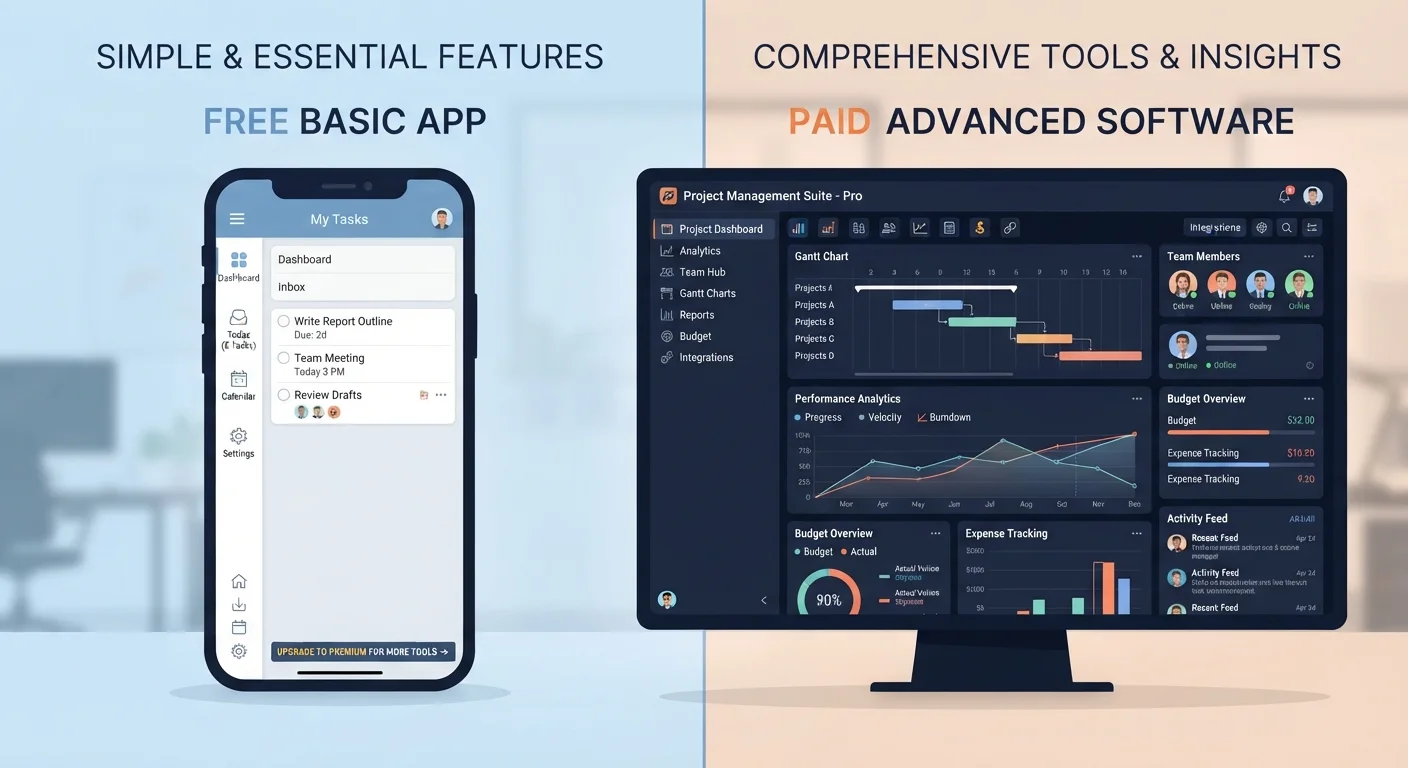
| Project Management | Limited projects or members | Unlimited projects, advanced reporting | |
| Video / Audio Editing | Watermarks, lower export quality | Full export, extra effects | |
| Password Managers | One device sync only | Multi-device, family sharing | |
| Design Tools | Basic templates, limited assets | Full asset library, brand kits | |
| Customer Support | Community forums only | Priority email or live chat |
Collaboration is the clearest dividing line. Free tiers of project management and document tools typically limit the number of collaborators, version history, or simultaneous editors. If you're working with a team - even a small one - hitting those walls isn't just inconvenient, it's expensive in lost time.
Storage is the second pressure point. Cloud backups, photo libraries, and large project files outgrow free tiers faster than most users expect. Paying for storage is one of the more straightforward value calculations: compare the monthly cost against what you'd spend recovering lost files or managing workarounds.
Customer support is often undervalued until something breaks. Free tier support typically means community forums and documentation. Paid plans commonly include priority email or chat support - worth real money when a deadline is involved.
Privacy and ads deserve mention too. Some free tiers are funded by advertising or by analyzing usage data. Paid versions of those same tools often come ad-free with clearer data policies. Whether that matters depends on what data you're working with.
Try Before You Commit
Most paid software plans offer a 7- to 30-day free trial. Use that window intentionally - open the features you're actually paying for and test whether they fit your real workflow, not just the workflow you imagine having. If the trial period ends and you haven't touched the premium features, that's a clear signal.
How to Audit What You Actually Need
The most common mistake people make is upgrading based on features they might use rather than ones they actually use. Before paying for any plan, run a quick self-audit:
- Identify the friction. Is the free tier actively slowing you down, or is it just slightly less convenient? There's a meaningful difference.
- Check which specific limit is the problem. Storage cap? Collaborator limit? Export watermark? Knowing the exact constraint tells you whether the paid tier solves it.
- Calculate your actual usage frequency. A $10/month tool you use twice a week costs $5 per week of value. One you use twice a year costs $5 per use - a very different equation.
- Look for free alternatives. The software market is competitive. Often, another free tool handles your use case without the specific limitation you're hitting.
If you're already juggling multiple subscriptions, it's worth stepping back and auditing the full picture. Small monthly charges accumulate faster than most people realize - see our guide to software subscription costs for a practical framework. And if one of your tools touches personal finance tracking, the spreadsheets vs. dedicated apps comparison may help you decide whether a paid finance app is warranted at all. For a broader view of how recurring software costs fit into your household budget, the breakdown of fixed vs. variable expenses provides useful context.